
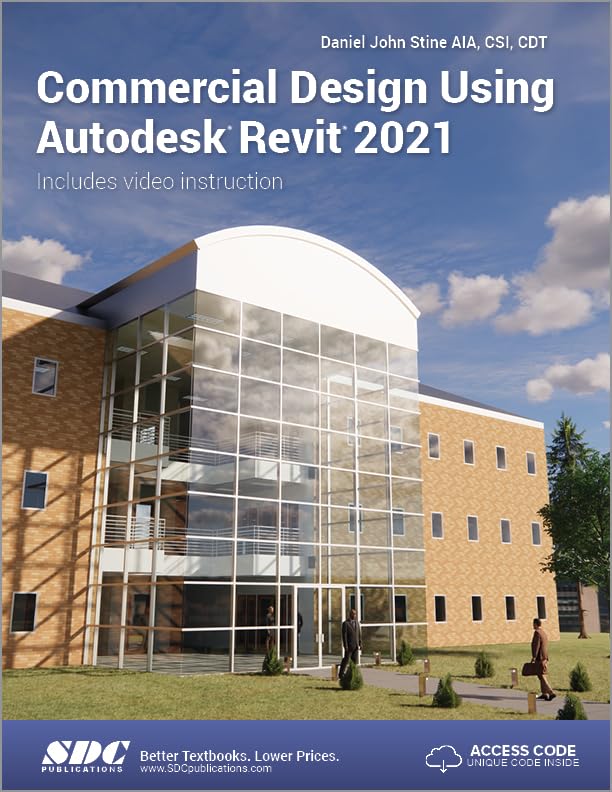
Title
Commercial Design Using Autodesk Revit 2021,Used
Sold by Ergodebooks, an authorized reseller.
Returns accepted within 30 days | support@ergodebooks.com
Shipping Information
- Free Standard Shipping — United States only
- Processing Time: 3–5 business days
- Estimated Delivery: 6–10 business days after dispatch
- Double-boxed, fully insured & discreetly packaged
- Tracking number sent via email once dispatched
Returns & Refund
Returns accepted within 30 days of delivery.
Damaged or Defective Item
Free return shipping + replacement or full refund
Wrong Item Received
Free return shipping + replacement or full refund
Change of Mind
Return shipping at customer's expense · 25% restocking fee applies
Payment Option

Designed for the architectural student using Revit 2021, this book privides a wellrounded knowledge of tools and techniques for use in both school and industry. It takes project based approach to learning Revits architectural tools in which to develop a three story office building. Each book also includes access to nearly 100 video tutorials designed to further help master Autodesk Revit. General building codes and industry standard conventions are covered in a way that is applicable to the current exercise.The first two chapters are intended to get you familiar with the user interface and many of the common menus and tools of Revit 2021. A small office is created in chapter two to show you just how easy it is to get started using Autodesk Revit. By the end of chapter two you will be excited and prepared to take on a much larger project.Throughout the rest of the book you develop a three story office building. The drawings start with the floor plans and develop all the way to photorealistic renderings like the one on the cover of this book. In these chapters many of the architectural tools and features of Revit 2021 are covered in greater detail.About the VideosAccess to nearly 100 videos, almost five hours of content, are also included with your purchase of this book. These videos break down each topic into several short videos so that you can easily navigate to a specific aspect of a tool or feature in Autodesk Revit. This makes the videos both a powerful learning tool and convenient video reference. The videos make it easy to see the menu selections and will make learning Revit straightforward and simple. Its like having the author by your side showing you exactly how to use all the major tools in Autodesk Revit.
⚠️ WARNING (California Proposition 65):
This product may contain chemicals known to the State of California to cause cancer, birth defects, or other reproductive harm.
For more information, please visit www.P65Warnings.ca.gov.
- Q: What are the dimensions of the book? A: The book measures eight point two seven inches in length, one point two six inches in width, and ten point seven five inches in height.
- Q: How many pages does the book have? A: The book contains six hundred twenty-four pages, providing a comprehensive guide to using Autodesk Revit.
- Q: What type of binding does the book have? A: The book is bound in paperback, making it lightweight and easy to handle.
- Q: What is the primary focus of the book? A: The book is designed for architectural students and focuses on using Autodesk Revit 2021 for commercial design.
- Q: How do I access the video tutorials included with the book? A: Access to nearly one hundred video tutorials is included with your purchase, providing detailed guidance on using Autodesk Revit.
- Q: Is this book suitable for beginners? A: Yes, the book is particularly suitable for beginners, as it starts with user interface familiarization and progresses to complex projects.
- Q: Can I use this book for my coursework? A: Yes, this book is tailored for architectural students, making it an excellent resource for coursework and practical applications.
- Q: How is the content structured in the book? A: The content is structured in a project-based approach, guiding readers through the development of a three-story office building.
- Q: What level of experience is needed to use this book? A: No prior experience with Revit is required, as the book includes introductory chapters to ease users into the software.
- Q: How should I care for my book? A: To maintain the book's condition, store it in a cool, dry place and avoid exposure to direct sunlight.
- Q: Is the book safe for all age groups? A: The book is intended for students and professionals in architecture, making it suitable for older teens and adults.
- Q: What if the book arrives damaged? A: If the book arrives damaged, you should contact the seller for information on return policies and possible exchanges.
- Q: Are there any specific care instructions for the book? A: Keep the book dry and handle it gently to avoid wear and tear over time.
- Q: How can this book enhance my learning experience? A: The combination of written content and nearly one hundred video tutorials enhances the learning experience by providing visual aids.
- Q: What makes this book different from others on Revit? A: This book's project-based approach and nearly one hundred video tutorials set it apart from other Revit instructional books.
- Q: Can I find specific Revit techniques in this book? A: Yes, the book covers many architectural tools and features of Revit 2021 in great detail, making it a valuable resource.