
Title
Engineering Graphics Essentials with AutoCAD 2012 Instruction,Used
Sold by Ergodebooks, an authorized reseller.
Returns accepted within 30 days | support@ergodebooks.com
Shipping Information
- Free Standard Shipping — United States only
- Processing Time: 3–5 business days
- Estimated Delivery: 6–10 business days after dispatch
- Double-boxed, fully insured & discreetly packaged
- Tracking number sent via email once dispatched
Returns & Refund
Returns accepted within 30 days of delivery.
Damaged or Defective Item
Free return shipping + replacement or full refund
Wrong Item Received
Free return shipping + replacement or full refund
Change of Mind
Return shipping at customer's expense · 25% restocking fee applies
Payment Option

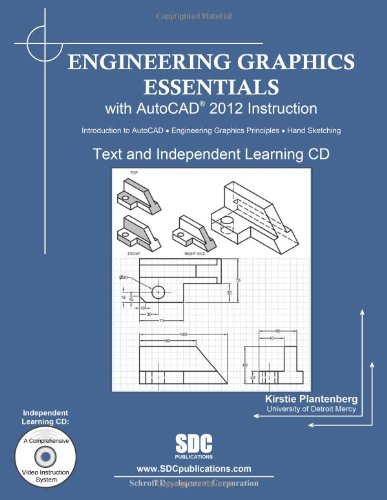
Engineering Graphics Essentials with AutoCAD 2012 Instruction gives students a basic understanding of how to create and read engineering drawings by presenting principles in a logical and easy to understand manner. It coves the main topics of engineering graphics, including tolerancing and fasteners while also teaching them the fundamentals of AutoCAD 2012.This book features an independent learning CD containing supplemental content to further reinforce these principles. Through its many different exercises this text is designed to encourage students to interact with the instructor during lectures, and it will give students a superior understanding of engineering graphics and AutoCAD.The enclosed independent learning CD allows the learner to go through the topics of the book independently. The main content of the CD contains pages that summarize the topics covered in the book. Each page has voice over content that simulates a lecture environment. There are also interactive examples that allow the learner to go through the instructor led and inclass student exercises found in the book on their own. Video examples are also included to supplement the learning process.CD Content Summary pages with voice over lecture content Interactive exercises Video examples AutoCAD video tutorials Supplemental problem solutionsTable of Contents1. Drawing in AutoCAD2. Orthographic Projection3. Creating Orthographic Projections in AutoCAD4. Dimensioning5. Dimensioning in AutoCAD6. Sectioning7. Creating Section views in AutoCAD8. Tolerancing9. Tolerancing in AutoCAD10. Threads and Fasteners11. Drawing Threads in AutoCAD12. Assembly Drawings13. Creating Assembly Drawings in AutoCAD14. Pictorial Drawings15. Creating Isometric Pictorials in AutoCADAppendix A: Limits and FitsAppendix B: Threads and Fastener TablesAppendix C: References
⚠️ WARNING (California Proposition 65):
This product may contain chemicals known to the State of California to cause cancer, birth defects, or other reproductive harm.
For more information, please visit www.P65Warnings.ca.gov.