
Title
Microsoft Word VBA Guidebook,Used
Sold by Ergodebooks, an authorized reseller.
Returns accepted within 30 days | support@ergodebooks.com
Shipping Information
- Free Standard Shipping — United States only
- Processing Time: 3–5 business days
- Estimated Delivery: 6–10 business days after dispatch
- Double-boxed, fully insured & discreetly packaged
- Tracking number sent via email once dispatched
Returns & Refund
Returns accepted within 30 days of delivery.
Damaged or Defective Item
Free return shipping + replacement or full refund
Wrong Item Received
Free return shipping + replacement or full refund
Change of Mind
Return shipping at customer's expense · 25% restocking fee applies
Payment Option

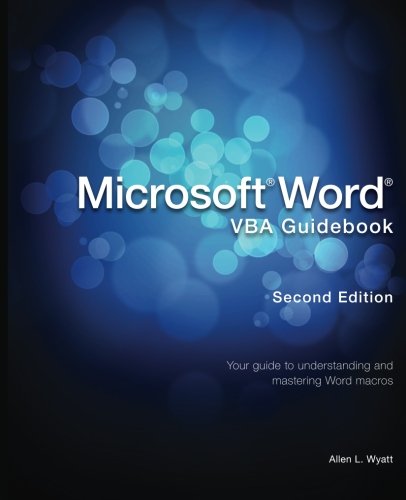
Microsoft Word is the most popular word processing software in the world. It has tons of features, but you can make it even better by developing macros that make Word do exactly what you want it to do. Microsoft Word VBA Guidebook, Second Edition, introduces you to the power of VBA macros, providing the guidance and information you need. Youll progress from the basics to more advanced concepts and techniques in a logical manner, gathering experience as you go. Bestselling author Allen Wyatt has been teaching people how to use Word for decades. The publisher of the WordTips newsletter and WordTips: The Macros brings his behindthescenes expertise to the topic of creating macros and puts the power of Word and VBA in your reach.
⚠️ WARNING (California Proposition 65):
This product may contain chemicals known to the State of California to cause cancer, birth defects, or other reproductive harm.
For more information, please visit www.P65Warnings.ca.gov.
- Q: How many pages does the Microsoft Word VBA Guidebook have? A: This book has two hundred sixty-eight pages. It covers everything from basic to advanced VBA macro concepts.
- Q: What is the binding type of the Microsoft Word VBA Guidebook? A: The book is paperback bound. This makes it durable and easy to handle for readers.
- Q: What are the dimensions of the Microsoft Word VBA Guidebook? A: The dimensions are seven point five two inches in length, nine point two five inches in height, and zero point six one inches in width. This size makes it portable and easy to store.
- Q: What is the reading level of the Microsoft Word VBA Guidebook? A: This guidebook is suitable for beginners and intermediate users. It starts with basic concepts and progresses to advanced techniques.
- Q: How do I use the VBA macros taught in this guidebook? A: To use the VBA macros, follow the step-by-step instructions provided. The book guides you through practical examples to enhance your Microsoft Word experience.
- Q: Is this guidebook suitable for absolute beginners in VBA? A: Yes, it is suitable for absolute beginners. It introduces the basics of VBA programming in a clear and understandable way.
- Q: How should I store the Microsoft Word VBA Guidebook? A: Store the book in a cool, dry place away from direct sunlight. This will help preserve its condition and longevity.
- Q: Can I clean the book's cover if it gets dirty? A: Yes, you can clean the cover with a damp cloth. Avoid using harsh chemicals to prevent damage.
- Q: What if my copy of the book arrives damaged? A: If your copy arrives damaged, contact the retailer for their return policy. Most retailers offer a replacement or refund.
- Q: How does the Microsoft Word VBA Guidebook compare to other VBA books? A: This guidebook is designed for practical application, making it user-friendly compared to other VBA books that may be more theoretical.
- Q: Is this book recommended for advanced users? A: While it is primarily for beginners, advanced users can benefit from the tips and techniques shared. It provides insights that may enhance their existing skills.
- Q: Are there any prerequisites for reading this guidebook? A: No specific prerequisites are required. However, basic knowledge of Microsoft Word will be helpful for better understanding.
- Q: What topics does the Microsoft Word VBA Guidebook cover? A: It covers a range of topics including creating macros, automating tasks, and advanced VBA techniques in Microsoft Word.
- Q: Is there a warranty for the Microsoft Word VBA Guidebook? A: Typically, books do not come with a warranty, but check with the retailer for their specific return and exchange policies.
- Q: How can I get support if I have questions about the content? A: For support, consider reaching out to the publisher, Sharon Parq Associates Inc, or check for online forums related to VBA programming.