If you have any questions, you are always welcome to contact us. We'll get back to you as soon as possible, withing 24 hours on weekdays.
Customer service
All questions about your order, return and delivery must be sent to our customer service team by e-mail at yourstore@yourdomain.com
Sale & Press
If you are interested in selling our products, need more information about our brand or wish to make a collaboration, please contact us at press@yourdomain.com
Help
If you have any questions, you are always welcome to contact us. We'll get back to you as soon as possible, withing 24 hours on weekdays.
Customer service
All questions about your order, return and delivery must be sent to our customer service team by e-mail at yourstore@yourdomain.com
Sale & Press
If you are interested in selling our products, need more information about our brand or wish to make a collaboration, please contact us at press@yourdomain.com
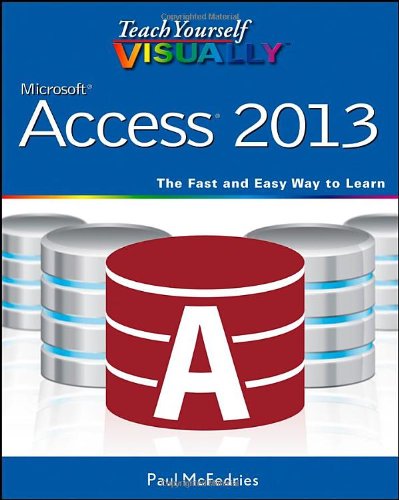
The easy, visual way to learn this popular database programPart of the Office 2013 productivity suite, Access enables you to organize, present, analyze, and share data on a network or over the web. With this Visual guide to show you how, you'll master the fundamentals of this robust database application in no time. Clear, stepbystep instructions are illustrated with fullcolor screen shots that show exactly what you should see on your screen. Learn to enter new records; create, edit, and design tables and forms; develop queries that generate specific reports; add smart tags to your tables; and much more. While it is the most widely used database application, Access is not particularly intuitive; the Visual system's twopage lessons and fullcolor screen shots make this complex software easier to learn Concise, stepbystep instructions and clear illustrations show you exactly what to expect Covers scores of tasks, including entering and setting up new records, organizing and sharing data, designing tables and forms, and generating reports Shows how to perform more complex operations, such as finding dependencies between database objects and adding smart tags to tablesTeach Yourself VISUALLY Access 2013 uses clear steps and highresolution screen images to get you up and running with this popular database program.
⚠️ WARNING (California Proposition 65):
This product may contain chemicals known to the State of California to cause cancer,
birth defects, or other reproductive harm.
For MAP (Minimum Advertised Price) violations and Intellectual Property (IP) or Trademark concerns, please contact:
support@ergodebooks.com
⚠️ California Proposition 65 Warning: Some products sold on this website may expose you to chemicals known to the State of California to cause cancer, birth defects, or other reproductive harm. For more information, visit www.P65Warnings.ca.gov.